
Your tank, on your stand.
Printed Reef displays show how your reef is doing from across the room, and connect your Neptune Apex to TankSensei.
Two displays
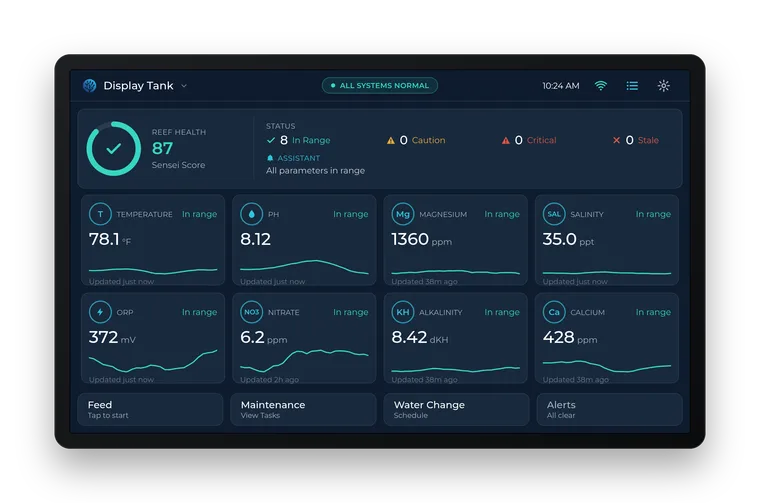
View 7
A 7-inch touch screen. Shows your Apex probes, Trident results and outlets, with your Sensei Score. Works with any Apex.
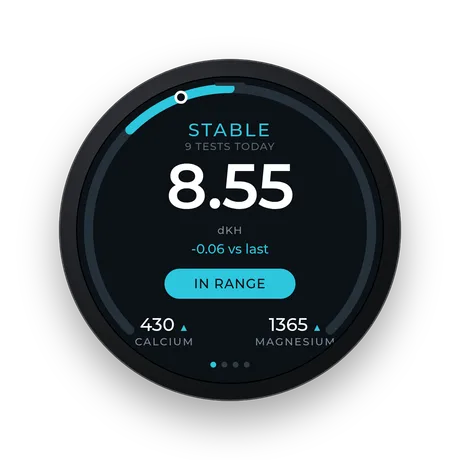
Trident display
A 1.75-inch round screen that shows your Trident results at a glance. Needs an Apex with a Trident.
Screens shown as mockups of what each display shows today.
Price and availability
Not on sale yet. Join the list and we'll email you once, when you can order.
What a display does
- Reads your Neptune Apex on your home network: its probes, including Trident alkalinity, calcium and magnesium.
- Sends an urgent push if it stops reporting, and another when it's back.
- Updates its own software over the internet.
Questions
Do I need a display to use TankSensei?
No. Everything except the Apex connection works without one, and HYDROS connects directly, with a key from the HYDROS app.
Does it need port forwarding or my Apex Fusion login?
No port forwarding and no Fusion login. It signs in to your Apex locally, with the Apex's own username and password.
Hand tests, ICP imports and HYDROS work today, no display needed.